
Moonbeem for Adobe Premiere Pro
Pick a scene the filmmaker wants you to cut. Bring it straight onto your timeline.
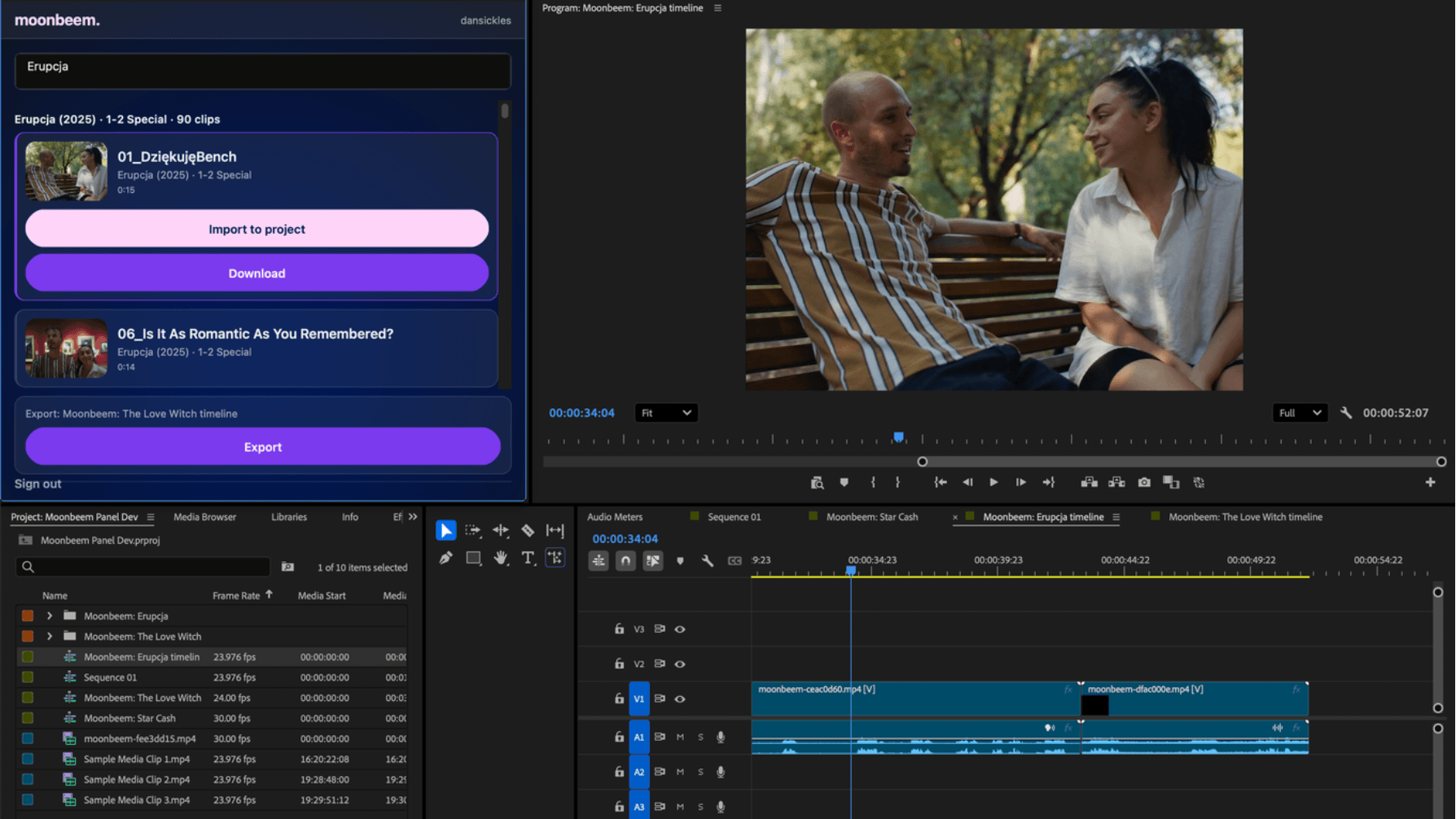
The free Moonbeem panel puts the approved clips of every film on the network inside Adobe Premiere Pro. The clips are there because the people who own the film want you to make something with them. Edits link back to the film, and approved edits can earn on funded campaigns.
Get the free panel on Adobe ExchangeOn your phone? The panel installs on a computer. Open moonbeem.studio/premiere on the machine you edit on.
Get the panel.
Install Moonbeem from Adobe Exchange, then open it in Premiere Pro from the Window menu.
Generate a token.
In Settings, give it a name and click Generate token. Copy it when it appears; it is shown once.
Paste it into the panel.
In the panel's sign-in field, paste the token. Your approved clips appear, and you can pull them straight onto your timeline.
Then cut, export, and post the edit where your audience is. Submit the post link with Add fan edit on your dashboard so the edit is attributed to the film; approved edits earn on funded campaigns.
For the people who own the films
- Open a clip pool from your partner page.
- Set what can be used and where.
- Campaigns start at $25.
Built on UXP. Version 1.0.2, through Adobe review.